Showing posts with label organize. Show all posts

Saturday, June 2, 2012

May Somethings


instagram @lyndseroo 

from this past month, here is something I...


~~~~~~~~~~

...loved:


My dad was able to come home twice this month. The picture above is actually from when he was in Oklahoma during May for my cousins college graduation.  I realize now that I didn't take any pictures of my dad while he was here other than the one up in the instagrams.  Next time dad comes home is in July, but I will get to go down to Missouri this month for Father's Day, so that will be fun!

...listened to:


This is depressing and funny at the same time.

...watched:


(And a whole lotta marvel movies in order to be prepared for The Avengers)

...read:

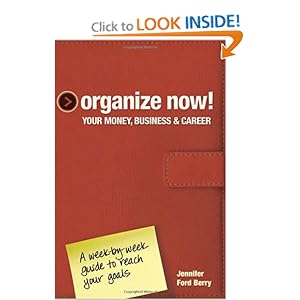
I've started this book.  And really, I've just barely started it.  But I like it a lot.  So many great tips.  I'm excited to continue working my way through it.  It has tips on budgeting, how to write a good cover letter and resume, how to have a decent blog (obviously I haven't read that part yet, haha) and so much more.  There are more Organize Now! books by this lady, and I might be purchasing more of them in the future.


...learned:


I've been thinking a lot lately about this quote.  I find it inspiring in a way.  Not in a way that I feel like I should go out and start doing crazy things.  But more-so in the way that when I am faced with some bigger decisions (which this month has been more than generous in providing me with), I can find a bit of peace.  Peace in knowing that risks taken, decisions made, life changes...they are healthy things to do every so often.  I need these tough and somewhat scary obstacles in order to become a better me and hopefully to get a little closer to where God is leading me.

Tuesday, April 26, 2011

Organizing Extra

This wasn't a challenge.  But here is an update of some of my organizing on top of the challenges.

There is the photo box I mentioned a few days ago.  And with it are 3 other photo boxes, but not for photos.  One for product information and handbooks, and two for cards I've received.
Then there are all of my PT journals and magazines I need to work my way through.


I realize this closet looks messy, but if only you could have seen it before.  All I'm lacking is a good shelving area and my craft area will be complete!


I organized our bathroom by adding a little tray for all of our sink junk.  It is amazing how much that little tray makes everything look so much neater.


And I got a new shelf for our bathroom.  I have been wanting a place to put our towels instead of a box on the floor ever since the day we moved in!


And my favorite project yet.  If only I was good at taking 'before' pictures.  Then you would see the amazingness of these next two photos.  But oh well, just know, it is sooooo much better now.  This is our entry closet/game closet.


And I was able to get a shelf for here too!!!!  I really can't express how happy that shelf makes me.


So there you have it!  I've been an organizing fool lately, and I love it!

Sunday, April 24, 2011

Organizing #4

The April challenge from IHeartOrganizing is to throw away 30 things in 30 days.  When I read that, I realized this month was gonna be a vacation!  I throw stuff away all the time.

So I'm done for this month with collecting items to get rid of.  I've been putting all of my CDs on my computer and will either donate them to goodwill or toss them since most of them don't have a case anymore.  Anyone want some CDs?

The clothing I always take to Plato's closet and then take the remaning to goodwill.

In her blog she talks about selling, and I've decided that Plato's closet is as much effort as I want to put into selling.  I just can't see people buying my junk and so I can't talk myself into putting in the effort.  And I'm okay with that.

So CD's, clothes and books are the majority of my throw box.  Definitely over 30.  And I get rid of things all the time, so again, this challenge was like a vacation.  Easy peasy!

Saturday, April 23, 2011

Organizing #3

The March Challenge from IHeartOrganizing was to make a household binder.  And here is mine:


Now, I'll admit.  I really had no interest in this initially and had even decided to sit out this challenge.  I don't have kids, and it seems to be most useful for those who do.  But as I started reading more and more about it, my interest grew.  So I decided to make one, certainly cater it to my own life, and if it doesn't seem worth it for me after a trial period, I'll toss it.  But really, I already like it alot.

On the inside of the front cover, I have a checklist of my blog post ideas.  This has been fun to get my ideas out on paper, and since I had a whole page filled up, I could only show you this much of it, haha:

Most of these templates (like the one above) are from the IHeart website.  She sells them, but gave away several for free during this challenge.

My first section is my cleaning section.  I am going to revise this already.  I don't want it to be such an involved checklist.  I don't want to have to refer to this binder everyday.


And here is her Maintenance list, I still need to go through this and cross out everything that doesn't apply to me since I rent.


Here is the reason I am loving the binder... my finances.  Definitely beats my last method of recording spending (which was a over used piece of notebook paper).  I love this.  I put in all of my expenses, then the deposits at the bottom, then at the very bottom I write the difference and pray that there is not a negative sign in front of it.  On the far right, I have listed the averages for the end of that year.  This is my page, with all the numbers blocked out, from when I started recording our finances once we were married. through december of last year.


Then a handy little section to remember dates.


And a way to keep track of our cars.


So the finance section is my favorite. And truly worth having the binder.

I would like to incorporate a section for food.  For coupons, and take out menus and what not.

Also I'd like to put a section for business cards too.

So March was pretty easy, compared to the last two challenges!

Friday, April 22, 2011

Organizing #2

In February, IHeartOrganizing brought on another huge challenge.  Organizing photos!  (can't you just hear the horror music playing when you read that line, I can)

I don't have any photos of this project.  But I do have my story...

One of the first tasks was to delete all unnecessary photos, something I was in desperate need of doing.  I spent hours, (and I'm not kidding, HOURS) deleting duplicate photos, blurry photos, bad photos, and just worthless photos.  Because I deleted so many photos, I was only a little shocked when I went to empty my recylcing bin and it said it was deleting over 7,000 photos.

Being as I was in ultra-organizing mode, I deciding to then de-fragment my computer.  Something I have only done at one other point in my entire life.  Somthing I never ever do.  What in the world possessed me to think it was a good idea right then?!  Because later that night, I went to look for a photo on my computer.  And every single photo was gone.  Absolutely gone.  Deleted, Cleared from Recylcing, De-fragmented away, Gone.

I was a little bit in freak-out mode, I will admit.  I really only cared about my honeymoon photos.  I hadn't really done anything else amazing that year, and I still have the CDs with the wedding photos on them.  Malachi was calling his computer genius friend who agreed to rehab my computer to the best of his ability (this took a few days).  Luckily, during those few days, I checked my external hard drive and hugged myself as I realized I had backed up all of my photos in early December.  Honeymoon SAVED!  Malachi's friend was able to recover a few photos, but none that I didn't already have on the external hard drive.  So christmas, and january and part of february were gone.  But see, I have this thing called a blog, so I went back and stole photos from my past posts.  So truly, I really ended up with most of those 7,000 pictures safe and sound.  Only a few are gone forever.  But I think it was a fair trade and a lesson learned.

So once all that was over, I then went to my external hard drive and cleaned that out.  I had so many duplicates on there, and a ton of damaged files that were not worth keeping.
And after all of that deleting, I organized all of my photos onto my external hard drive by years and in each year folder I have 12 month folders.

So what I am doing now is keeping a 2011 folder on my computer and deleting bad photos right from the start and organizing them by month, right from the start.

Yesterday I mentioned an external hard drive in my safe deposit box.  Here is why I have one.
Last year I read a blog post about this woman.  She and her family had recently rennovated a house to make it into their dream home.  Then one night her house burned down and they lost everything.  A common story to hear, right?  What got to me were two things. 

First, she described how there was no time to grab any belongings.  Her entire house burned down in less than 30 minutes.  THIRTY MINUTES!  I can't even start a campfire in a decent amount of time.  So all they had time to grab were the kids and the animals.  photos, computers...all gone.

Second, the fire was started from their dishwasher!  I feel like I take good precautions in unplugging things, turning things off.  But a dishwasher?  I would have never imagined that causing my house to burn down. 

What this lady said in her blog post was a list of preparations to make, just in case a fire ever happens to any of the rest of us.  And she mentioned keeping your photos safe somewhere besides your computer.  I have always kept a backup on my external hard drive, as I've mentioned several times already.  But my hard drive sits nicely in my house, fair game for fire.  So I realized that, with photos being so precious to me, I needed a place off site. 

There are safe deposit box options, and online storage places.  But I'm cheap, and not made of money.  So I invented a free version for myself.  Which is what I don't want to share on my blog, but I'm sure if you guys get creative (and you care to do this), you will find a way that works for you.

So now I have my photos backed up on my external hard drive, and once a year (unless a big event happens that year), I transfer my year folder to my offsite hard drive.  I can now rest easy.

As for non-digital photos, I bought a couple of photo boxes.  A small one for normal size photos, and a large one for portraits and drawings.

In this process, I have also begun organizing all of my music on my computer and I plan to have a similar system with the music, not that it is really all that important, but it will be nice to have it organized at least on the hard drive here at home.

Also I have a lot of document files to sort through.  I just got Word on my computer last month, so I can finally open half of the documents!

Sorry this post was so ridiculously long, and I didn't even give you a photo to look at!  Thanks for reading!

Thursday, April 21, 2011

Organizing #1

While I'm off celebrating my 1st anniversary, I thought I would keep you entertained with my organizing adventures.

My constant motivator, Angie, mentioned on her blog a challenge that IHeartOrganizing developed for 2011.  A monthly challenge of organization.

So let's start at the very beginning, January.  A challenge of organizing the paper in your home.


Now, my files and folders are not very pretty.  And someday I hope to change that.  But for now, I couldn't be happier.
I had bags and bags of papers that I threw away or shredded.  I'm talking TONS.  Because I just never really new how long to keep somethings, and honestly I didn't even know what some of the papers were, so I didn't feel safe tossing them.  But this website laid it all out.  What to keep and for how long.

So what I did, I wrote down on the front of each folder how long to keep everything that is in that particular folder.
I have a folder for:
  • Employee Benefits
  • Dogs
  • Home
  • Insurance Policies
  • Medical/Dental
  • Retirement/Social Security
  • Safe Deposit Inventory
  • Tax Info
  • Warranties
  • And the big flowery thing with a handle at the bottom of the photo is an accordion folder that I keep all of my receipts in, separated by month.
Just doing that much taught me alot about the different documents I need and have.  And being able to find them in less than a minute?  Amazing.
As you may have noticed, I listed a safe deposit inventory.  I don't really feel like putting the specifics down for this because of how public this blog is.  But I was thinking more and more about this lately and realized how important it is to have certain documents protected.  A fireproof safe would work, but I don't have one, so I worked out something else.  
What I've decided to keep protected are the documents as recommended by consumer reports (linked through the IHeartOrganizing blog in her January challenge), as well as an external hard drive.  The external hard drive I will discuss tomorrow :) 

Still Need to Do (for this challenge):
  • I still have some things on my to-do-list that I need to collect for my safe deposit box. 
  • And my ultimate goal is to organize all of my notes from PT school into something more manageable and more helpful.  Maybe next year on that one, haha.  No, hopefully I at least start it soon.
  • And ideally Malachi and I will also create advanced directives and all that good stuff.

But all in all, this challenge changed my life for the better.  I feel like I grew up a little and am a little more prepared.